
Gcam Nikita brings Google Pixel quality camera to your Android. If you want your Android camera quality to be just like Google Cam, this app does it for you. Bringing advanced features like HDR+ and astrophotography to your device is insane. A Google Cam that is limited to Google Pixel devices is no longer limited. Now with this modified version of Google Cam, you can take advantage of amazing features like image processing with AI integrated in it. Let’s go through this Gcam in depth.
What is Gcam Nikita?
Want your camera quality to be top-notch but don’t wanna spend money on an expensive camera, then this Gcam Nikita, developed by Nikita, is the best solution for it. An app that mimics the functional quality of Google Cam for Android devices like Realme, Samsung, OnePlus, Vivo, etc.Camera2 API is needed to configure and set up this Gcam. Every high-quality feature, Night Sight, Portrait enhancer, AI enhancement, you name it. It works beyond what hardware provides; its algorithm gives a professional pixel-level camera quality to non-pixel cellphones.
| App Name | Gcam Nikita |
|---|---|
| Version | NGCam_8.4.300.414775575.18 |
| Based on | Google Camera |
| Android Version | Android 10.0 or higher |
| RAM | Recommended 4 GB |
| Processor (CPU) | Snapdragon processors (Recommended) |
| Storage Space | Approx 100 MB free |
| Camera2 API | Mush have |
Features
This app is a pot full of amazing features that will shock you every single time. Let’s go through some of them.
Image Processing:
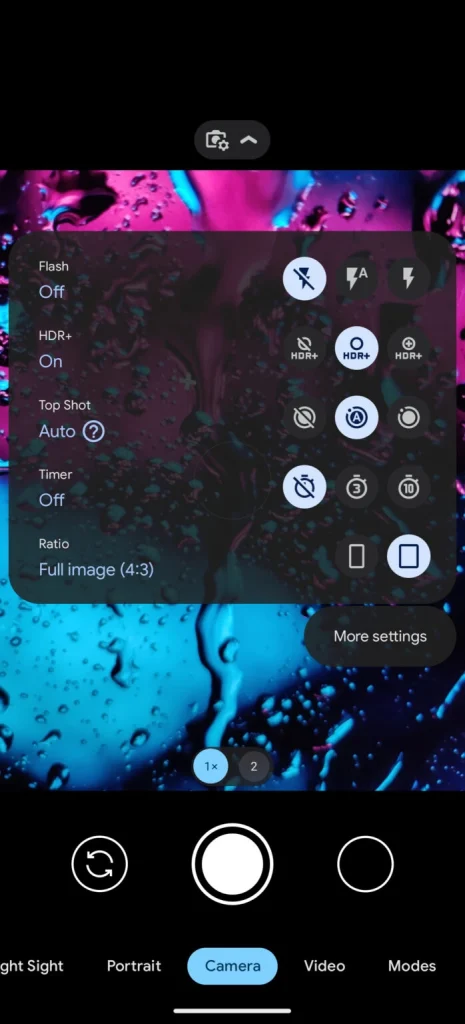
Want a high-quality image with your non-pixel camera? No problem, you can do so by using Gcaml Nikita. In this app, you can use image processing feature, which creates an HDR+ enhanced-quality image. Despite the good or bad lighting, it adjusts the camera settings and improves brightness, exposure, and makes one hell of a detailed image that screams perfection.
Resolution Zoom:
Wanna capture a bird sitting in its nest from afar? Don’t worry, this app can zoom into your soul, just kidding. It is designed using an algorithm that has great resolution. You can zoom into objects x times without blowing up the pixels. Unlike the Android camera that will make your photo super blurry with just 2x zoom, this Gcam will maintain the clarity of the image, regardless of how much you zoom in or out.
Potrait Mode:
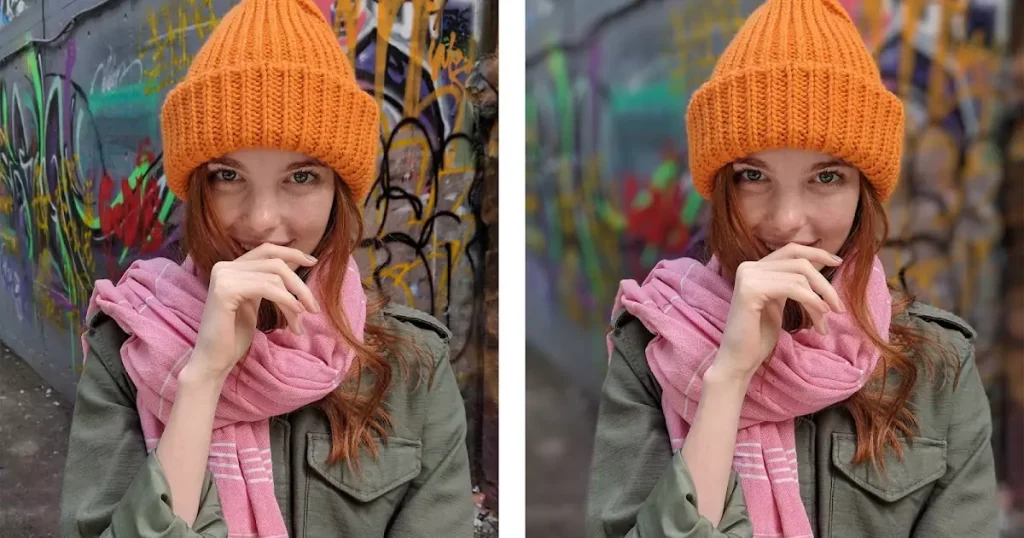
Want to add a DSLR effect to your images? You got it. With this amazing feature, now you can create an image that focuses just on you or the object you are trying to capture. Ignoring and blurring the background, creating a sharp and defined portrait. Moreover, you can use AI to make it even more defined and give a Bokeh effect to your portraits.
Night Sight:
Generally, great lighting is needed to capture a good-quality picture. But with this amazing feature, you can now capture good picture with dim lighting. It captures beauty of object without any flash or any bright lightning. Multiple framing features and night sight together can create clearer image than any better lightning settings. Now just you and your Gcam capturing beauty of world day and night.
Astrophotography:
Night Sight feature is not just limited to capturing beauty on land. It can capture the beautiful night sky. Stars, sky, and celestial objects can be captured through this Gcam. All you need is a tripod for stability and Gcam will do the rest. It can capture stars in full resolution with no blur. However, this feature depends on which mod you have on your Android phone.
RAW Image Suport:
One of the advances featured in GCam Nikita is that it lets you save a processed image for later use. This feature helps a lot when you edit your image in any editing app like Lightroom or Adobe Photoshop. This gives full control over your content, allowing you to save photos in RAW format.
Face Retouch:
It is not just a camera but has editing features too. Isn’t it amazing? Now, while capturing and photographing, if any image gets blurred or has some issue, you can fix it by retouching it. It is done by face detection, skin analysis, and smart smoothing using AI. It does so by maintaining natural features, avoiding any over-smoothing effect that will look like a fake beauty filter.
Comparison: GCam Nikita vs Stock Camera
| Feature | GCam Nikita | Stock Camera |
|---|---|---|
| Image Processing | AI-based | Basic |
| HDR | HDR+ | Standard |
| Night Mode | Very clear | Noisy |
| Portrait Mode | DSLR blur | Average blur |
| Colors | Natural tones | Over-saturated |
| Details | High detail | Normal detail |
| AI Features | Advanced AI | Limited AI |
| XML Support | Supported | Not supported |
| Performance | Unstable | Stable |
| Video Quality | Good quality | Optimized |
How to Download Gcam Nikita APK?
Follow these steps, and you will successfully launch your Gcam Nikita.
How to enable Gcam Nikita?
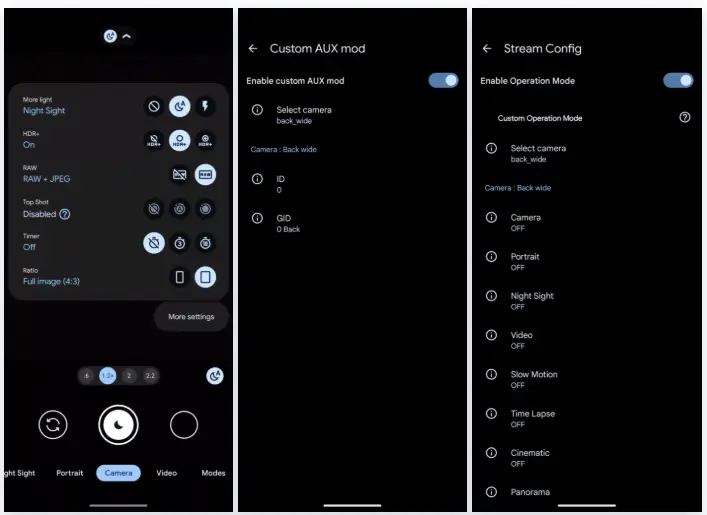
To download Gcam Nikita, you need to enable Camer2API on your devices. Below are 2 ways you can enable it:
Method 1:
- Sometimes it is already enabled in your device. To check it, install Camer2API and check its Hardware Support level.
- If its level is Full or level 3, it is enabled.
- If it shows limited, then it is partially supported.
- If it says legacy, it means you have to enable it manually.
Method 2:
This is an advanced method where a root is needed to enable it.
- First, root your phone.
- Install Root Explorer
- Add /system/build.prop
- Now save and add permissions and reboot your phone.
- Now check if it is enabled by following method 1.
Note: If you don’t have any root, it is not possible to enable it most of the time.
Download the APK file:
- Once you have enabled the Camera2APK.
- One thing to make sure that you have a higher Android version 9 or more.
- Go to a trusted website and download the APK file.
- Once it is downloaded, open it and install the Gcam Nikita APK.
- Wait for the installation and then your app will be available on your home page.
- Note: Make sure to enable the downloads from unknown sources option in your security settings.
Pros and Cons
Pros
Cons
Frequently Asked Questions
How much space is needed to download Nikita Gcam?
You need 132 Mb free, but for better working, an additional 200-300 MB will be better.
Is it free to use?
Yes, the app is completely free with no unlock feature only reserve for subscribers.
Why can’t I download Gcam NIkita?
This problem can be faced for many reasons.
- Your Camer2APi is not enabled.
- The APK file is corrupted or outdated.
- Poor internet.
- Unavailability of storage space.
Conlusion
Gcam Nikita is the most used camera app these days, which provides a quality mimicking Google Cam. Every day, hundreds of users download it, and if paired with the correct Android version, it is a game-changer for photographers. No subscription, HDR quality and AI for enhancement make it worthy to download. However, the APK file may have bugs and be limited to devices. In short, it is great for fresher photographers who wanna pursue this field but with limited resources.